
How to Use Postbox with OpenClaw: Agent Native Data Collection
Learn how to install the Postbox skill in OpenClaw and use it to submit structured data to your forms. Self-documenting endpoints make data collection seamless.
Setting Up Your API Key
Before installing the skill, set your Postbox API key as an environment variable to your OpenClaw’s environment configuration at ~/.openclaw/.env:
echo "POSTBOX_API_KEY=your_api_key_here" >> ~/.openclaw/.envNever commit your API key to source control.
Installing the Postbox Skill
Getting started takes seconds. Install the Postbox skill using the OpenClaw CLI:
openclaw skills install postboxThat’s it. Your OpenClaw agents now have built-in tools for working with Postbox.
A Practical Workflow
Here’s how you might use this:
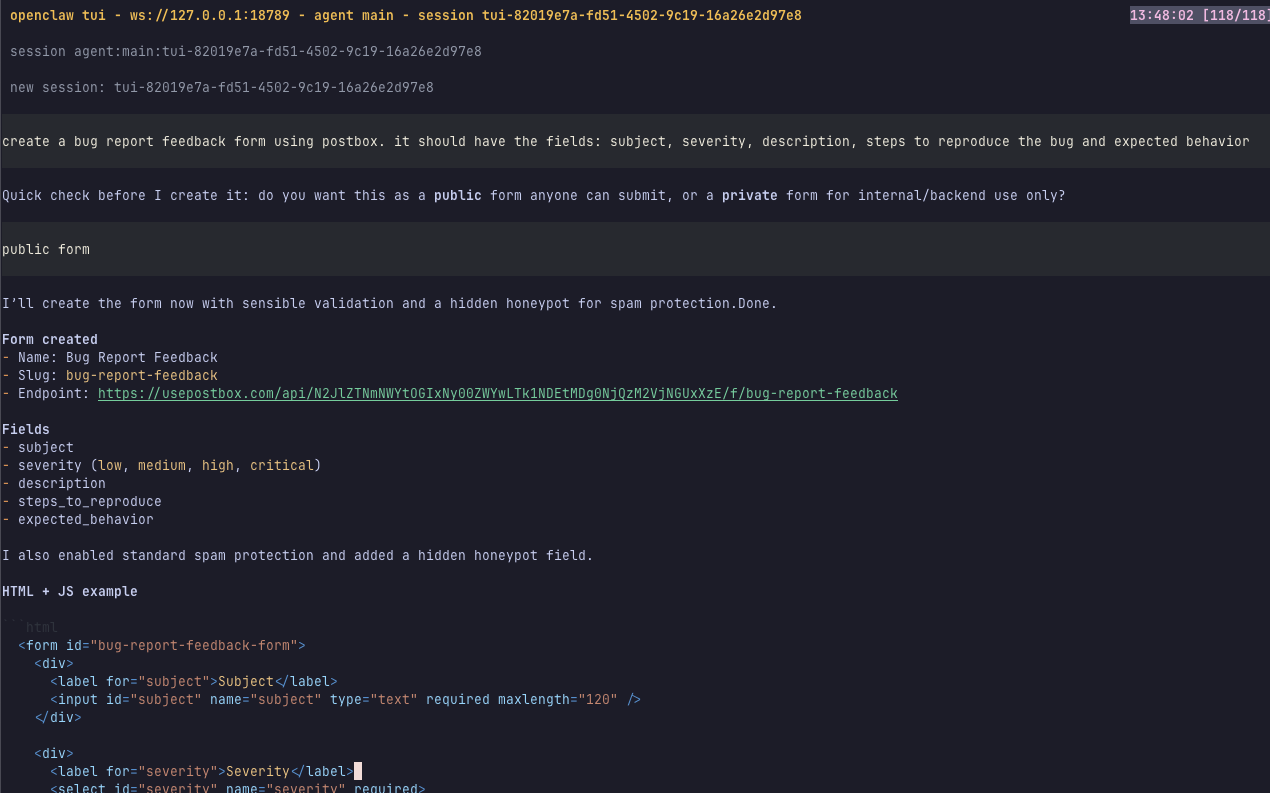
- Create a Postbox form for bug reports (title, description, severity, steps to reproduce the bug, etc.)
- Copy the endpoint URL Postbox handles this for you! your openclaw automatically gets the endpoint url from the form creation step!
- Share the URL via a form, or just the url to other agents, and since the endpoint is self documenting, you don’t even need a UI!
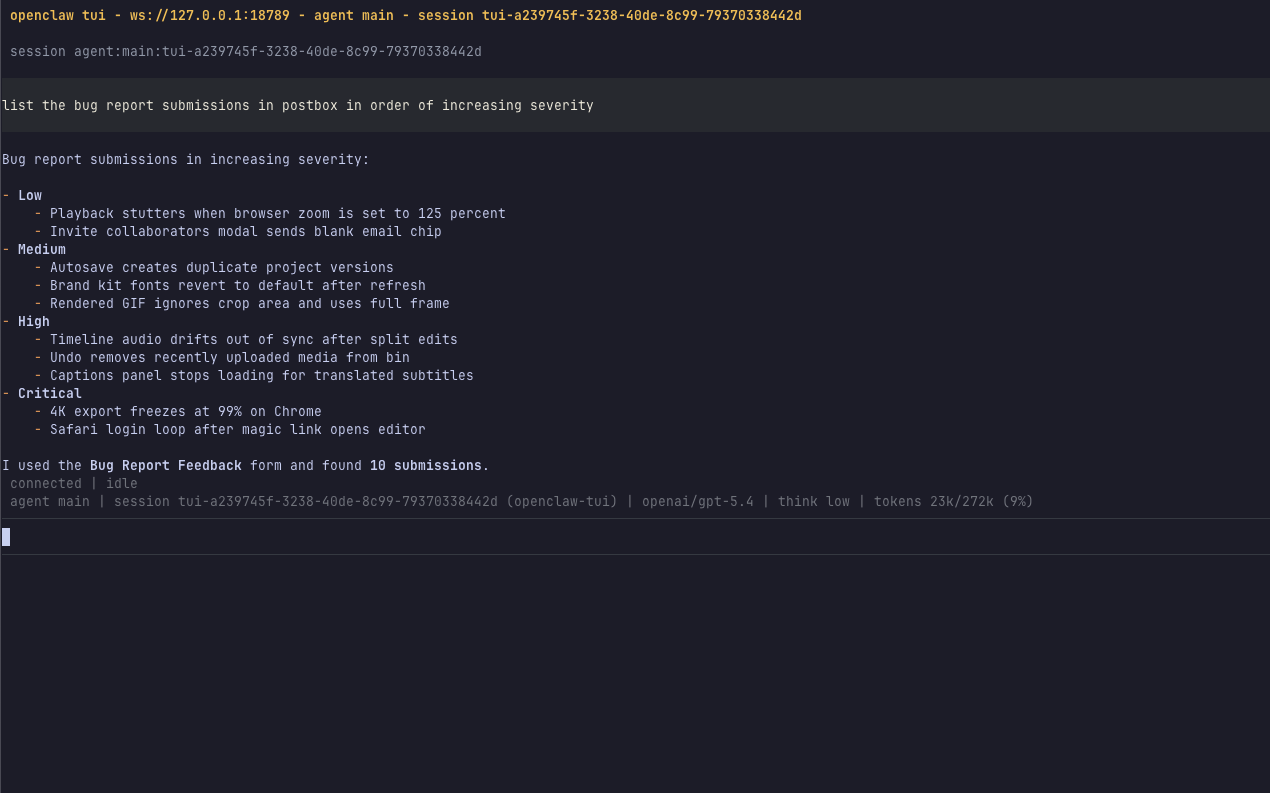
- Process the submissions using OpenClaw just ask openclaw to list/get/translate/reply to submissions! and much more!
OpenClaw will:
- GET the endpoint to discover the schema
- See which fields are required
- Construct a valid payload
- POST to the endpoint
- Handle any validation errors by correcting and retrying
- Return the submission confirmation
This works for any type of form - feedback surveys, lead capture, customer support, whatever data you need to collect.
Here’s what it looks like in action:
Using OpenClaw Commands
You can also create custom OpenClaw commands for frequently used tasks. Add a command file in your project’s .openclaw/commands/ directory:
---
description: Submit a bug report to Postbox
agent: build
---

Submit a bug report to our Postbox endpoint. First, GET the endpoint to discover the schema, then construct a valid payload with the bug details I provide, and POST it. If validation fails, fix the errors and retry.
Now typing /bug-report in OpenClaw gives you a reusable command for submitting bugs.
How It Works
Here’s what happens when your OpenClaw agent needs to submit data:
-
Agent GETs the endpoint with
Accept: application/json - Postbox returns the schema - field names, types, required flags
- Agent constructs the payload - builds valid JSON from the schema
- Agent POSTs the data - same endpoint, different method
- Postbox validates - returns 201 on success, or structured errors
The agent handles everything. You just provide the endpoint URL.
Get Started
Create an account at usepostbox.com, set up a form, install the Postbox skill, and give the endpoint URL to OpenClaw. That’s the entire integration. Your coding harness handles the rest - schema discovery, payload construction, error handling, all automatically.
Give OpenClaw a URL, and let the agent do the rest.