
How to Use Postbox with Your Personal Coding Agent
Learn how to configure Claude Code and OpenCode to submit structured data to Postbox forms. Self-documenting endpoints make AI agents more reliable.
Personal coding agents like Claude Code and OpenCode are becoming essential tools for developers. They can write code, run commands, and automate tasks. But when it comes to collecting structured data - bug reports, feedback, surveys - most APIs leave these agents guessing.
Postbox changes this. Every endpoint documents itself, so your agent can discover the schema, construct valid payloads, and handle errors intelligently. No SDK. No integration guide. Just give the agent a URL and let it work.
Setting Up Claude Code
Claude Code supports MCP (Model Context Protocol) for adding external tools. Configure Postbox in your project’s .mcp.json:
{
  "mcpServers": {
    "postbox": {
      "url": "https://usepostbox.com/mcp"
    }
  }
}
Claude Code will handle the OAuth flow automatically when you first use a Postbox tool.
Or add global instructions in ~/.claude/CLAUDE.md:
# Data Collection

When submitting bug reports, feedback, or survey data, use Postbox.
First, curl the endpoint to discover the schema, then construct a valid
payload and submit. If validation fails, fix the errors and retry.
You can also create custom slash commands in .claude/commands/ for reusable commands like /bug-report.
Setting Up OpenCode
OpenCode also supports MCP. Add to ~/.config/opencode/mcp.json:
{
  "mcpServers": {
    "postbox": {
      "url": "https://usepostbox.com/mcp"
    }
  }
}
OpenCode will handle the OAuth flow automatically when you first use a Postbox tool. If needed, run:
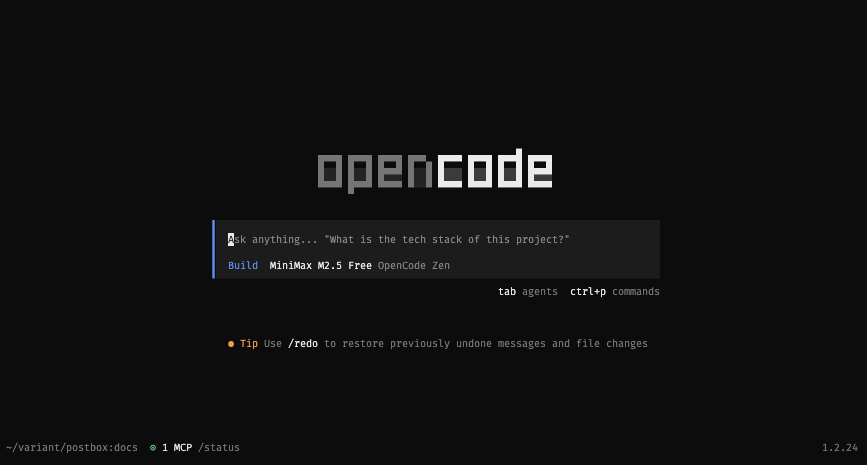
opencode mcp auth postboxThen restart OpenCode. Your OpenCode will now have access to your forms:
Once connected, you have access to these tools:
| Tool | Description |
|---|---|
list_forms |
List all your forms |
get_form |
Get form details including field schema |
list_submissions |
List submissions with optional filtering |
get_submission |
Get full details of a single submission |
translate_submission |
Translate a submission on demand |
draft_reply |
Generate a reply using a knowledge base |
Installing the Postbox Skill
For agents that support skills, you can install the Postbox skill directly. This gives your agent built-in tools for working with forms and submissions.
npx skills add variant-systems/skills --skill postboxOnce installed, your agent can automatically discover your forms, create submissions, and more - without any additional configuration.
Setting Up Your API Key
After installing the skill, set your Postbox API key as an environment variable:
export POSTBOX_API_KEY="your_api_key_here"
Add this to your .bashrc, .zshrc, or .env file so it’s available in every terminal session. Never commit your API key to source control.
Self-Documenting Endpoints
The real power comes from Postbox’s self-documenting endpoints. Agents can discover the schema at runtime by making a GET request:
curl -H "Accept: application/json" https://usepostbox.com/api/TOKEN/form-slugThis returns:
{
  "name": "Bug Report",
  "slug": "bug-report",
  "endpoint": "https://usepostbox.com/api/TOKEN/bug-report",
  "method": "POST",
  "fields": [
    { "name": "title", "type": "string", "required": true },
    { "name": "description", "type": "string", "required": true },
    { "name": "severity", "type": "string", "required": true },
    { "name": "email", "type": "email", "required": false }
  ]
}
The agent reads this schema and knows exactly what fields to send. No guessing. No documentation to read.
How It Works
Here’s what happens when you give your agent a Postbox endpoint:
-
Agent GETs the endpoint with
Accept: application/json - Postbox returns the schema - field names, types, required flags
- Agent constructs the payload - builds valid JSON from the schema
- Agent POSTs the data - same endpoint, different method
- Postbox validates - returns 201 on success, or structured errors
The agent handles everything. You just provide the endpoint URL and the data to submit.
Smart Error Handling
When something goes wrong, Postbox returns structured errors that agents can act on:
{
  "error": {
    "code": "validation_error",
    "message": "Validation failed",
    "details": {
      "email": ["is required"],
      "severity": ["must be one of: low, medium, high, critical"]
    }
  }
}
With this, the agent can:
- Read exactly which fields failed
- Fix the payload intelligently
- Retry automatically
For example, if the agent sends { "title": "Login crash", "description": "..." } and gets back that severity is required, it knows to add "severity": "high" and retry. No human intervention needed.
A Practical Workflow
Here’s how you might use this:
- Create a Postbox form for bug reports (title, description, severity, email)
- Copy the endpoint URL from your Postbox dashboard
- Ask your agent: “Submit a bug report for the login page crash. Use our Postbox endpoint at [URL].”
Your agent will:
- GET the endpoint to discover the schema
- See which fields are required
- Construct a valid payload
- POST to the endpoint
- Handle any validation errors by correcting and retrying
- Return the submission confirmation
This works for any type of form - feedback surveys, lead capture, customer support, whatever data you need to collect.
Get Started
Create an account at usepostbox.com, set up a form, and give the endpoint URL to your agent. That’s the entire integration. Your coding agent handles the rest - schema discovery, payload construction, error handling, all automatically.
Whether you use Claude Code, OpenCode, or any other AI agent - Postbox just works.