Adding a contact form to a Next.js site sounds simple until you realize you need somewhere to send the data. You could write an API route, wire up a database, write validation logic, handle spam, set up email notifications — or you could skip all of that and use a form endpoint that does it for you.
This tutorial shows you how to add a working contact form to a Next.js app in under 10 minutes using Postbox. No backend code. No database. No infrastructure.
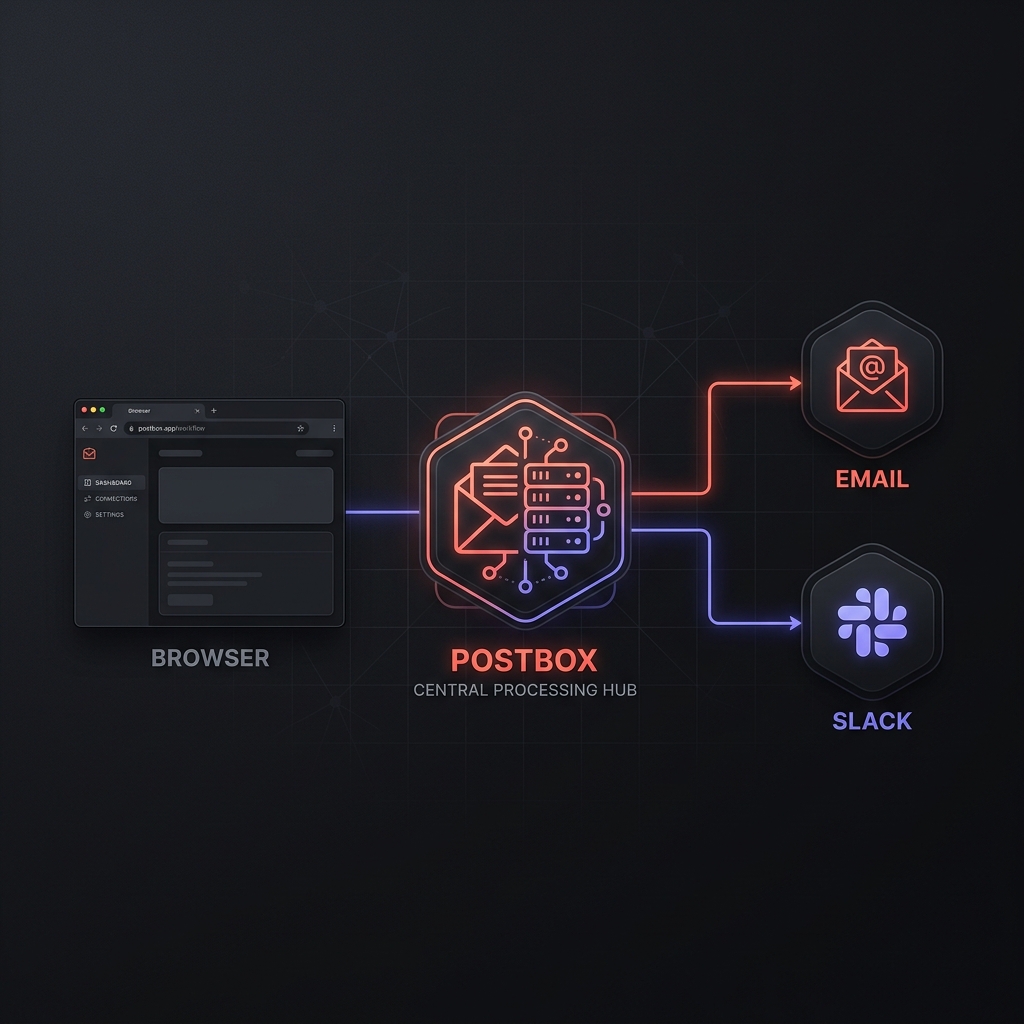
What you’ll build
A contact form with:
- Name, email, and message fields
- Server-side validation with inline per-field error messages
- Honeypot spam protection out of the box
- Submissions delivered to your inbox
Prerequisites
- A Next.js project (App Router or Pages Router)
- A free Postbox account
- Your Postbox API key
Step 1: Create your form endpoint
Create the form in Postbox via the API. This defines the contract that your Next.js app will follow:
curl -X POST https://usepostbox.com/api/forms \
  -H "Authorization: Bearer YOUR_API_KEY" \
  -H "Content-Type: application/json" \
  -d '{
    "name": "Contact",
    "slug": "contact",
    "visibility": "public",
    "spam_protection_enabled": true,
    "intent": "Collect inbound contact requests from website visitors",
    "fields_schema": {
      "fields": [
        { "name": "name", "type": "string", "rules": [{ "op": "required" }] },
        { "name": "email", "type": "email", "rules": [{ "op": "required" }] },
        { "name": "message", "type": "string", "rules": [{ "op": "required" }, { "op": "min_length", "value": 20 }] },
        { "name": "website", "type": "string", "rules": [{ "op": "honeypot" }] }
      ]
    }
  }'
The response includes your endpoint URL:
{
  "form": {
    "endpoint": "https://usepostbox.com/api/abc123xyz/f/contact"
  }
}
Copy the endpoint value and store it in your .env.local:
NEXT_PUBLIC_POSTBOX_ENDPOINT=https://usepostbox.com/api/abc123xyz/f/contactWhy the honeypot? The
websitefield with thehoneypotrule is a spam trap. Bots fill every visible field; humans never see it. Any submission withwebsitepopulated gets flagged automatically by Postbox before it ever hits your inbox.
Step 2: Build the form component
Create a ContactForm.tsx component. Postbox is designed to be used with fetch(). This allows you to handle structured validation errors without leaving the page.
// components/ContactForm.tsx
"use client";

import { useState } from "react";

type FieldErrors = {
  name?: string[];
  email?: string[];
  message?: string[];
};

export default function ContactForm() {
  const [status, setStatus] = useState<"idle" | "loading" | "success" | "error">("idle");
  const [errors, setErrors] = useState<FieldErrors>({});

  async function handleSubmit(e: React.FormEvent<HTMLFormElement>) {
    e.preventDefault();
    setStatus("loading");
    setErrors({});

    const formData = new FormData(e.currentTarget);
    const data = Object.fromEntries(formData.entries());

    try {
      const res = await fetch(process.env.NEXT_PUBLIC_POSTBOX_ENDPOINT!, {
        method: "POST",
        headers: { "Content-Type": "application/json" },
        body: JSON.stringify(data),
      });

      if (res.ok) {
        setStatus("success");
        return;
      }

      if (res.status === 422) {
        const body = await res.json();
        setErrors(body.error?.details ?? {});
        setStatus("idle");
        return;
      }

      setStatus("error");
    } catch {
      setStatus("error");
    }
  }

  if (status === "success") {
    return (
      <div className="rounded-lg bg-green-50 p-6 text-center border border-green-200">
        <p className="text-green-800 font-medium">Message sent. We'll be in touch soon.</p>
      </div>
    );
  }

  return (
    <form onSubmit={handleSubmit} noValidate className="space-y-4">
      {/* Honeypot — hidden from humans */}
      <div className="hidden" aria-hidden="true">
        <input type="text" name="website" tabIndex={-1} autoComplete="off" />
      </div>

      <div>
        <label htmlFor="name" className="block text-sm font-medium text-gray-700 mb-1">Name</label>
        <input id="name" name="name" type="text" className="w-full rounded-md border border-gray-300 px-3 py-2 text-sm focus:ring-2 focus:ring-brand" />
        {errors.name && <p className="mt-1 text-sm text-red-600">{errors.name[0]}</p>}
      </div>

      <div>
        <label htmlFor="email" className="block text-sm font-medium text-gray-700 mb-1">Email</label>
        <input id="email" name="email" type="email" className="w-full rounded-md border border-gray-300 px-3 py-2 text-sm focus:ring-2 focus:ring-brand" />
        {errors.email && <p className="mt-1 text-sm text-red-600">{errors.email[0]}</p>}
      </div>

      <div>
        <label htmlFor="message" className="block text-sm font-medium text-gray-700 mb-1">Message</label>
        <textarea id="message" name="message" rows={5} className="w-full rounded-md border border-gray-300 px-3 py-2 text-sm focus:ring-2 focus:ring-brand" />
        {errors.message && <p className="mt-1 text-sm text-red-600">{errors.message[0]}</p>}
      </div>

      <button
        type="submit"
        disabled={status === "loading"}
        className="w-full rounded-md bg-brand px-4 py-2 text-sm font-medium text-white hover:bg-brand-hover disabled:opacity-50 transition-colors"
      >
        {status === "loading" ? "Sending..." : "Send message"}
      </button>
    </form>
  );
}
Step 3: Set up notifications
By default, submissions appear in your Postbox dashboard. To get an email on each new submission, add a destination:
curl -X POST https://usepostbox.com/api/forms/YOUR_FORM_ID/destinations \
  -H "Authorization: Bearer YOUR_API_KEY" \
  -H "Content-Type: application/json" \
  -d '{
    "type": "webhook",
    "name": "Discord Alerts",
    "url": "https://discord.com/api/webhooks/..."
  }'
Postbox supports Webhooks, Discord, and Slack out of the box. When a submission passes the validation and spam checks, Postbox fans out the data to all your configured destinations automatically.
Why this is better than a custom backend
- Schema Versioning: When you add a field, Postbox generates a new endpoint URL. Your old code keeps working against the old schema until you’re ready to update.
- Invisible Security: No CAPTCHAs. We use honeypots and AI intent-matching to stop bots without bothering your users.
-
Structured Errors: You get per-field error messages (e.g.,
"email": ["is invalid"]) directly from the API, mapping perfectly to your UI.
Ready to ship? Sign up for Postbox and get your first form running in minutes. No credit card required. Free plan includes 5,000 lifetime submissions.