At some point, every frontend developer hits the same wall. You’ve built a clean static site—fast, cheap to host, and remarkably simple. Then the requirement comes in: “We need a contact form.”
Suddenly, the “simple” site isn’t simple anymore. You’re looking at spinning up a Node.js backend, writing a serverless function, or wiring up a third-party email API. For a few fields and a button, the complexity is wildly out of proportion to the problem.
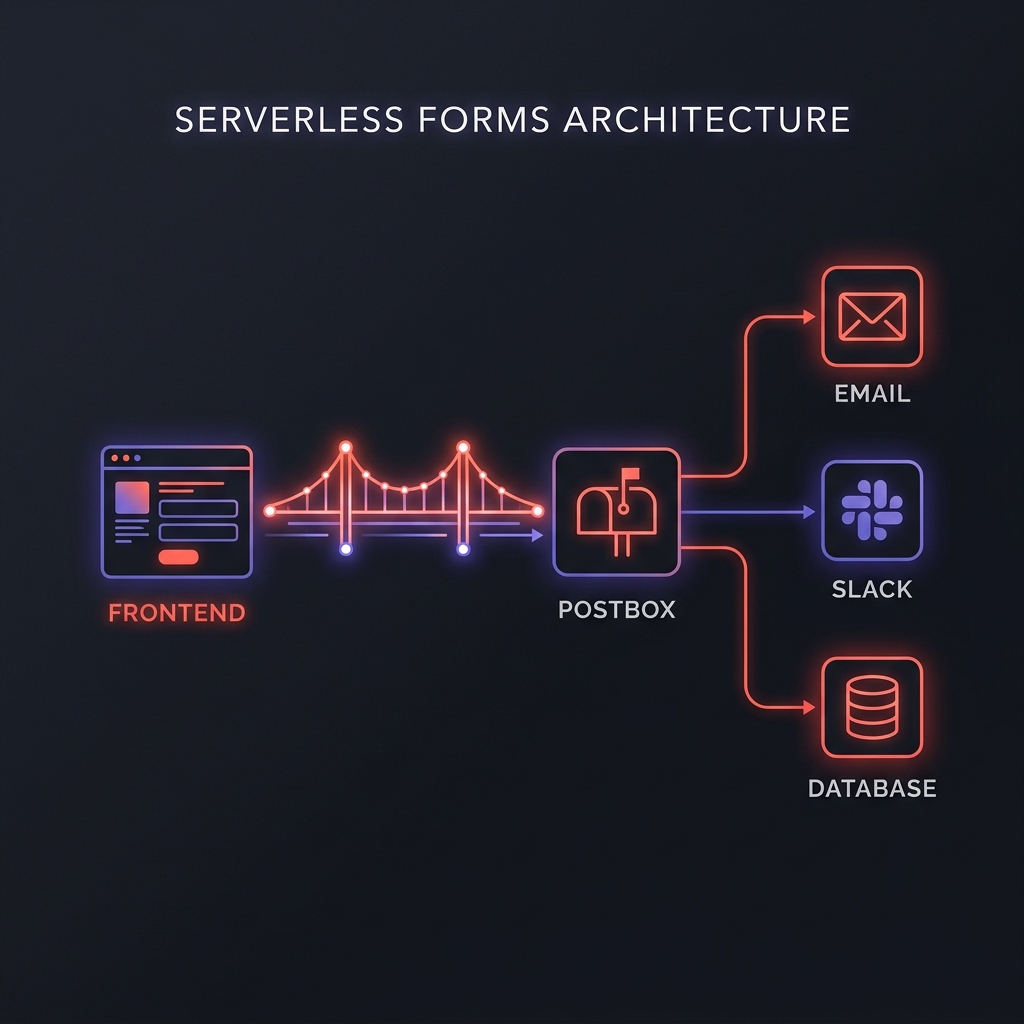
The Hidden Cost of “Simple” Serverless Functions
The common advice is to “just write a small Lambda.” But a Lambda isn’t just code; it’s a maintenance burden. When you write your own form handler, you are now responsible for:
- Validation Logic: Manually checking regex and required fields.
- Spam Defense: Watching your email quota disappear to bots.
- API Management: Rotating keys for Resend, Postmark, or SendGrid.
- Maintenance: Debugging when the function environment changes or dependencies go stale.
The alternative is to treat form submission as Infrastructure. You define the contract, and the endpoint handles the rest.
Scenario: The “Side Project Trap”
Meet Alex. Alex built a stunning portfolio in Astro. It was perfect until he added a “Hire Me” form.
- The Choice: Alex spent a Saturday writing a custom Vercel function to handle the POST. It worked.
- The Fragility: Two months later, he wanted to add a “Project Type” dropdown. He had to update the frontend, then update the backend validation, then redeploy the function. A 5-minute UI change took an hour of full-stack context switching.
- The Noise: His inbox started filling with “SEO Optimization” spam. He had to go back into the code and try to implement a basic honeypot.
If Alex had used Postbox, he would have defined the “Project Type” in his schema via the dashboard, updated his frontend URL, and been done. The honeypot would have been there from Day 1. Alex wasted a weekend on infrastructure he could have just configured.
sequenceDiagram
    autonumber
    participant F as Frontend (Static/SPA)
    participant P as Postbox (Orchestrator)
    participant D as Destinations (Slack/Email/Webhooks)

    F->>P: POST JSON (Submission)
    P->>P: Validate Schema & Filter Spam
    P-->>F: 201 Created (Success)
    P->>D: Route Data to Configured Channels
Step 1: Define the Contract
In Postbox, your form is a schema, not a codebase. You define your fields and rules, and we give you a self-documenting endpoint.
{
  "name": "Contact",
  "slug": "contact",
  "fields_schema": {
    "fields": [
      { "name": "email", "type": "email", "rules": [{ "op": "required" }] },
      { "name": "message", "type": "string", "rules": [{ "op": "min_length", "value": 20 }] },
      { "name": "website", "type": "string", "rules": [{ "op": "honeypot" }] }
    ]
  }
}
Step 2: POST from the Frontend
From any context—Next.js, SvelteKit, or just plain HTML—you simply fetch() that endpoint. Postbox accepts structured JSON and returns structured errors.
const res = await fetch("https://usepostbox.com/api/f/contact", {
  method: "POST",
  headers: { "Content-Type": "application/json" },
  body: JSON.stringify({ email: "user@example.com", message: "Hello!" }),
});

if (res.status === 422) {
  const { error } = await res.json();
  console.log("Validation Failed:", error.details);
}
Step 3: Route to Your System
The data’s in Postbox—now what? You don’t write routing code. You configure destinations.
- Slack/Discord: Get notified instantly when a new lead arrives.
- Email: Send a copy to your inbox (and an auto-reply to the user).
- Webhooks: Send the data to your CRM, database, or a custom script.
Why it wins: Schema Versioning
When your form needs to change, Postbox generates a new endpoint URL for the new schema. Your old code keeps working against the old schema, and your new code uses the new one. No “Big Bang” migrations. No downtime. No broken integrations.
Stop building form backends. Try Postbox free and go from “Form Requirement” to “Production Ready” in under 5 minutes. 5,000 lifetime submissions, full API access, and zero server management included. No credit card required.